
QUICK ANSWER
The Terrible Lizards demo launched as a free Windows PC trial on Steam. Finish its Story section to unlock the Gameplay section. The publisher describes playable portions of the first two levels, arranged as a dedicated trial rather than the entire campaign.
Where to download the Terrible Lizards demo
Find the Terrible Lizards demo through its dedicated Steam listing, linked below. It is a separate application, released on September 24, 2026. If that address redirects to the main game listing, look for the demo panel rather than the full-game purchase button.
The Terrible Lizards demo is installed through Steam. There is no playable browser version on this website and no installer hosted here. If the store no longer displays a demo control for your account, use the official listing as the authority rather than a mirror or an old search snippet.
- Open the dedicated Terrible Lizards demo listing and look for Install Demo; if redirected, locate the demo section on the main game page.
- Use its download control and follow the prompt to open the Steam client. Sign in through Steam if required.
- Choose the installation location in Steam and allow the download to finish before launching.
- Open the Terrible Lizards demo from your library. Check that the title identifies the trial so you can distinguish it from a purchased full-game installation.
References: Steam — game and demo listing ↗ · Steam — dedicated demo and system requirements ↗
What the Terrible Lizards demo includes
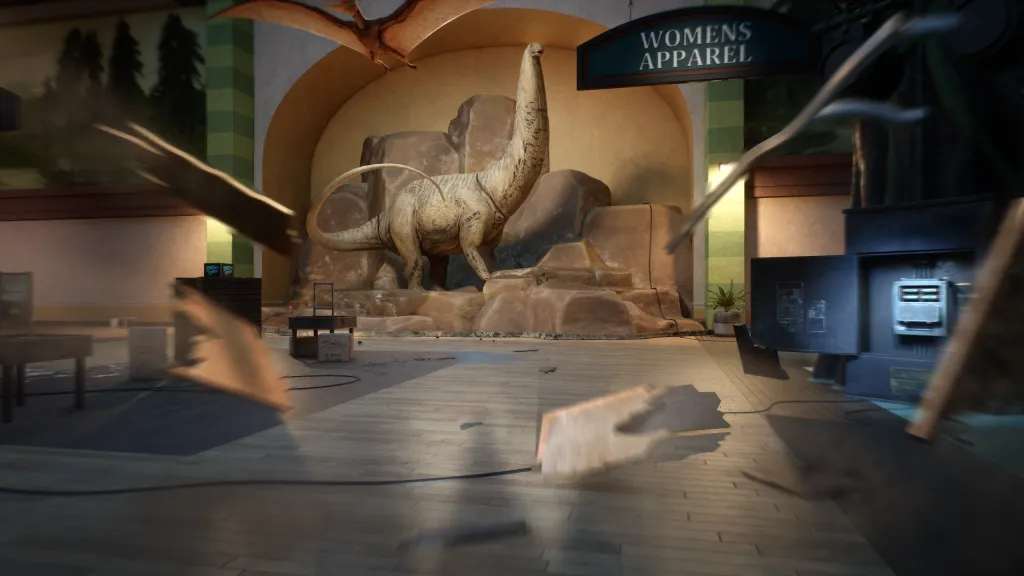
The publisher’s Terrible Lizards demo announcement describes playable portions of the first two levels. Jordan is stranded near the roadside attraction and has to navigate hazards while looking for help. The introduction establishes his athletic background and then turns those movement skills into tools for escaping dinosaurs.
That makes the Terrible Lizards demo useful for assessing your comfort with first-person jumping and horror tension. Spend some time learning how a jump lands and how an interaction prompt behaves. A trial is more informative when you test the movement yourself than when you rush through it solely to reach its stopping point.
The publisher’s description establishes the trial’s scope; it does not promise that every scene in every older promotional demo remains identical to the Steam download.
References: Publisher press release — demo contents ↗
Story first, then the Gameplay section
The developer’s Steam announcement describes two parts within the Terrible Lizards demo. Start with the Story section, which introduces the attraction and its mystery. Completing that section unlocks the Gameplay section, with a stronger focus on movement and tense encounters.
If you have finished the introduction and think the Terrible Lizards demo is over, check its menu for the unlocked Gameplay option. These are sections of the trial, not two paid products. Do not confuse that unlock with New Game Plus in the full game.
The developer says the trial was packaged as its own experience and differs from the main campaign. When comparing a Terrible Lizards demo video with your installation, match the section, objective and room before copying its steps. A video’s stopping point does not establish the complete game’s ending.
References: WDR Studios — developer Q&A and narrative devlog ↗ · Steam — dedicated demo and system requirements ↗
Terrible Lizards demo versus full game
Do not treat the Terrible Lizards demo’s unanswered questions as permanent mysteries. A character’s fate or a creature’s significance may be explored beyond the playable sample. The plot page keeps story explanation separate from installation help, so you can download the trial without reading later spoilers.
| Question | Demo | Full game |
|---|---|---|
| Scope | Portions of the first two levels | The complete purchased game |
| Purpose | Try movement and early horror scenes | Follow the story beyond the trial |
| Getting it | Demo control on Steam | Purchase or eligible official access |
| Story conclusions | Early clues only | Later scenes can change their meaning |
References: Publisher press release — demo contents ↗ · Steam — game and demo listing ↗
Terrible Lizards demo PC requirements
These are the requirements listed for the Terrible Lizards demo itself. They are not a benchmark or a guarantee of a particular resolution and frame rate. Check your processor, graphics memory and free disk space separately; meeting one requirement does not satisfy the others.
Before your first Terrible Lizards demo chase, inspect the control prompts and practice an uncomplicated jump. The developer describes aerial steering that allows course correction after take-off. Look for a sequence of landings rather than making each leap without considering what follows.
| Component | Minimum | Recommended |
|---|---|---|
| 64-bit Windows | Windows 10 | Windows 11 |
| Processor | Core i5-6400 / Ryzen 3 1200 | Core i3-10100F / Ryzen 3 3100 |
| Memory | 6 GB RAM | 12 GB RAM |
| Graphics | GTX 1050 2 GB / RX 560 2 GB | RTX 2080 / RX 6800 XT |
| DirectX | 11 | 12 |
| Available space | 25 GB | 25 GB |
References: Steam — dedicated demo and system requirements ↗ · Xbox Wire — director on movement ↗
Terrible Lizards demo download troubleshooting
A missing Terrible Lizards demo control can reflect a storefront or availability change. We do not promise permanent access or distribute an alternative copy.
- If an old Terrible Lizards demo link redirects, inspect the main game listing for its demo panel. Do not use the paid purchase control as a substitute for a missing trial button.
- If Steam opens but nothing starts, check your library and download queue to see whether installation has completed.
- If you are looking at a store page on a console, switch to the PC Steam listing. A PC trial is not a console demo.
- For a repeatable launch error, record the message and your PC specifications, then use the support or community links on the official listing. Avoid guessing that another player’s unrelated fix applies to your machine.
References: Steam — game and demo listing ↗
Questions & answers
Is the Terrible Lizards demo free?
Yes. The Terrible Lizards demo launched as a free PC trial on September 24, 2026. Check its official Steam listing to confirm the download option available to your account.
Does Terrible Lizards demo progress carry into the full game?
We have no verified save-transfer promise for the Terrible Lizards demo. Keep your existing save files, but do not assume that installing the full game will resume a trial save.
How long is the Terrible Lizards demo?
The Terrible Lizards demo announcement specifies portions of two levels rather than a guaranteed completion time. Exploration, retries and reading notes will affect how long you spend in the trial.
Can I play the Terrible Lizards demo on PS5?
The Terrible Lizards demo covered here is the PC Steam trial. Its availability does not confirm a PlayStation trial. Check the PS5 guide and official console listing for console-specific information.
Sources & references
- Steam — game and demo listing ↗
- Steam — dedicated demo and system requirements ↗
- Publisher press release — demo contents ↗
- WDR Studios — developer Q&A and narrative devlog ↗
- Xbox Wire — director on movement ↗
This guide uses the sources linked above. Gameplay descriptions from published guides are attributed to those guides; they are not presented as our own playtesting.
Report a correction ↗